
Most practices that start evaluating patient management software do so because something is not working. The appointments are there. The patients are coming. But somewhere between booking and billing, the administration is taking more time than it should, errors are appearing, or the practice is growing in a way that its current processes cannot support.
This article covers what patient management is, what patient management software does, and the practical benefits of patient management software for UK private practices and occupational health providers.
What Is Patient Management?
Patient management refers to the full set of processes involved in running patient care within a practice: booking appointments, maintaining clinical records, managing communications, processing payments, and ensuring patients receive the right care at the right time.
In a small practice, patient management often relies on a combination of spreadsheets, paper records, and institutional memory. This works at a certain scale and becomes unreliable beyond it. As the practice takes on more patients, more clinicians, and more sites, the manual approach produces errors, delays, and administrative overhead that grows faster than the clinical workload.
Patient management software consolidates these processes into a single connected platform, with each function informed by the same underlying data.
What Is Patient Management Software?
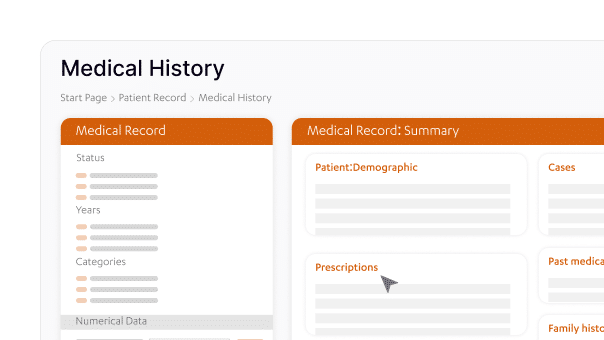
Patient management software is a clinical and operational platform that handles the end-to-end workflow of running a practice. A complete patient management system covers appointment booking and diary management, electronic health records, automated billing and invoicing, patient communications, referral management, reporting and analytics, and compliance documentation.
The practical difference between patient management software and a collection of separate tools for each of these functions is that information flows between them without manual re-entry. A booking creates the appointment in the diary, generates a pre-appointment communication, links to the patient’s clinical record, and triggers an invoice when the appointment is completed. One action across the system produces multiple coordinated outcomes, rather than five separate tasks across five separate platforms.
Patient Management System Features That Change How a Practice Operates
Understanding the benefits of patient management software starts with the patient management system features that make the most consistent difference in practice. These are the capabilities that practices most reliably point to when describing what changed after implementation.
- Automated appointment reminders. A meaningful proportion of missed appointments can be prevented through automated SMS or email reminders sent at a defined interval before the booking. The reminder goes out without administrative input, the patient confirms or cancels, and the practice can fill cancellations rather than absorbing the lost slot.
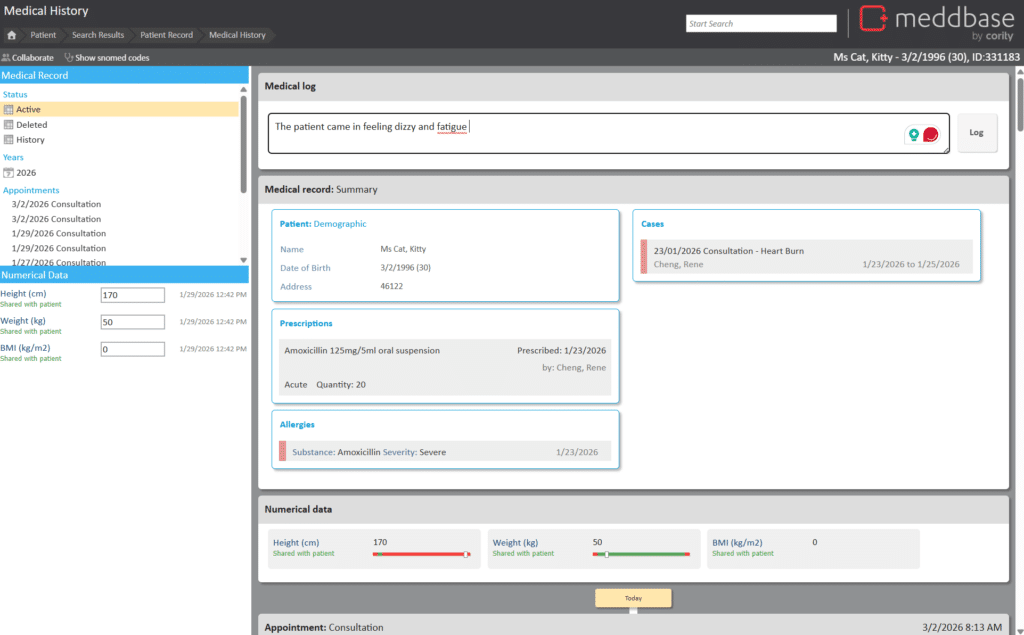
- Electronic health records with structured notes. Moving clinical documentation from paper or standalone files into a connected EHR means records are accessible to every relevant clinician across every site, audit-ready at any point, and searchable in ways that paper files are not.
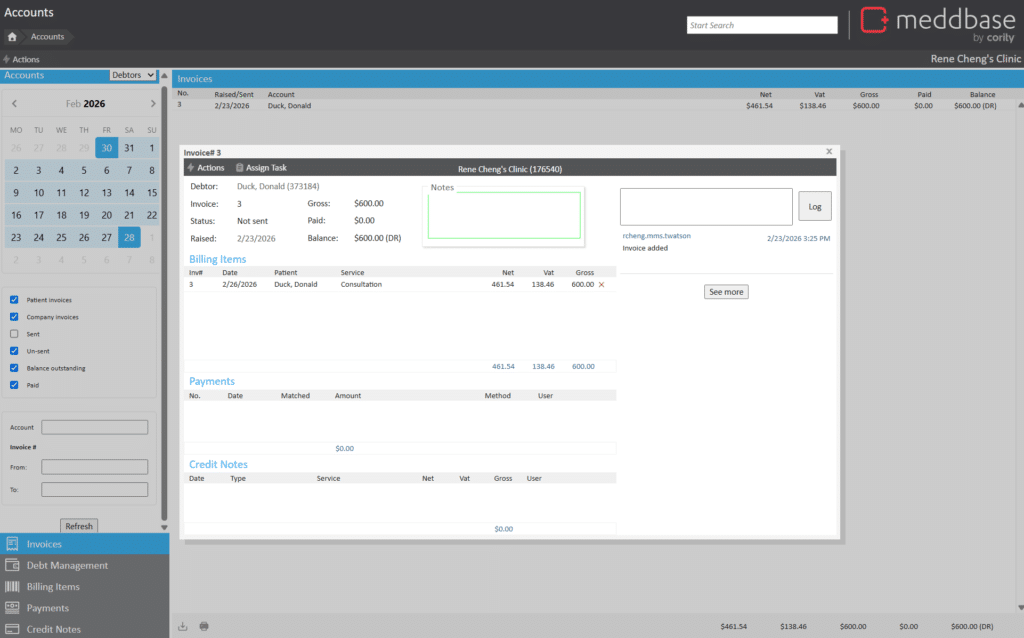
- Automated billing and invoicing. Patient management software applies billing rules to completed appointments and generates invoices automatically. This removes a step that in many practices happens manually, hours or days after the appointment, with the associated risk of delays, errors, and revenue that is invoiced late or not at all.
- Recall management. For practices running health surveillance programmes, ongoing physiotherapy, or any regular care schedule, recall management ensures patients return when they are due rather than when someone happens to notice. Recalls fire automatically based on clinical protocols.
- Integrated referral management. Referrals into and out of the practice are tracked from request to completion within the same system. Status is visible to the clinical and administrative team throughout without the need for manual chasing.
- Reporting and analytics. A complete patient management system generates financial and clinical reports from live data, without requiring manual export or spreadsheet manipulation. Practice managers can see revenue by clinician, appointment type, or period. Clinical leads can track outcomes across their patient population.
The Benefits of Patient Management Software in Practice
- Administration time returned to the team. The most immediate benefit of patient management software for most practices is the reduction in manual administrative tasks. Reminders, billing, recalls, and record updates that previously required staff time run automatically. That time returns to the team for clinical work, patient communication, and the tasks that genuinely require human attention.
- Fewer errors across the whole workflow. Manual processes in booking, billing, and record-keeping introduce errors that cost time to identify and correct. Patient management software applies consistent rules and reduces the points at which information must be re-entered or transferred between systems. Billing accuracy improves, appointment scheduling becomes cleaner, and clinical records stay current.
- A better experience for patients. Patients receive reminders before appointments, can access their records through a portal, and receive follow-up communications after care. The practice feels responsive and well-organised even when the clinical team is fully occupied. This has a measurable effect on patient retention and the rate at which patients refer others.
- Compliance and audit readiness. CQC inspections assess documentation quality, process control, and governance alongside clinical outcomes. A patient management system that logs every communication, tracks every referral, and maintains auditable clinical records places a practice in a stronger position than one relying on paper files and manual logs. The evidence is already there when it is needed.
- Scalability as the practice grows. Perhaps the most significant long-term benefit of patient management software is that it scales with the practice. Adding a clinician, a room, or a second site does not require a proportional increase in administrative resource when the processes are automated and the system handles the additional complexity. The practice management infrastructure grows in capacity without growing in administrative headcount.
What Is Patient Management Software Worth Getting Right?
The benefits of patient management software are only as strong as the integration between its components. A system that handles booking well but generates invoices manually, or manages records well but sends reminders from a separate platform, delivers partial benefit and introduces new coordination requirements.
For UK private practice and occupational health providers, the question to ask when evaluating any patient management system is whether it is genuinely connected. Does a completed appointment automatically trigger billing? Does a new referral appear in the clinical record without manual entry? Does the recall management system read from clinical protocols or from a manually updated list?
Meddbase by Cority is a cloud-native patient management platform built for UK clinics and occupational health providers, covering all of the functions above in a single connected system. For practices that want to understand what patient management looks like at a level that supports growth and compliance, it is worth a conversation.